DSP Trend Entry
SETTING MANUAL
1/ What is the DSP Trend Entry indicator?
Introduction:
The DSP Trend Entry Indicator is designed to help traders identify trend opportunities early while reducing false signals.
It combines two key systems. First, ATR-based structural bands identify whether the market is in a bullish or bearish regime. Second, the DSP CycleWave oscillator filters market noise and measures momentum changes to find better entry timing.
A trade signal is generated only when the CycleWave momentum agrees with the current market regime. This helps traders avoid unnecessary reversal signals and focus on higher-quality trend opportunities.
Benefits:
- Trend Detection: Identifies bullish and bearish market regimes using ATR-based structural bands.
- Better Entry Timing: Uses the CycleWave oscillator to detect changes in momentum.
- Noise Filtering: Uses DSP filtering to reduce unwanted market noise.
- Fewer False Signals: Requires trend direction and momentum to agree before generating a signal.
- Multi-Timeframe Use: Can be used across different markets and timeframes.
2/ Indicator Setting - DSP Trend Entry
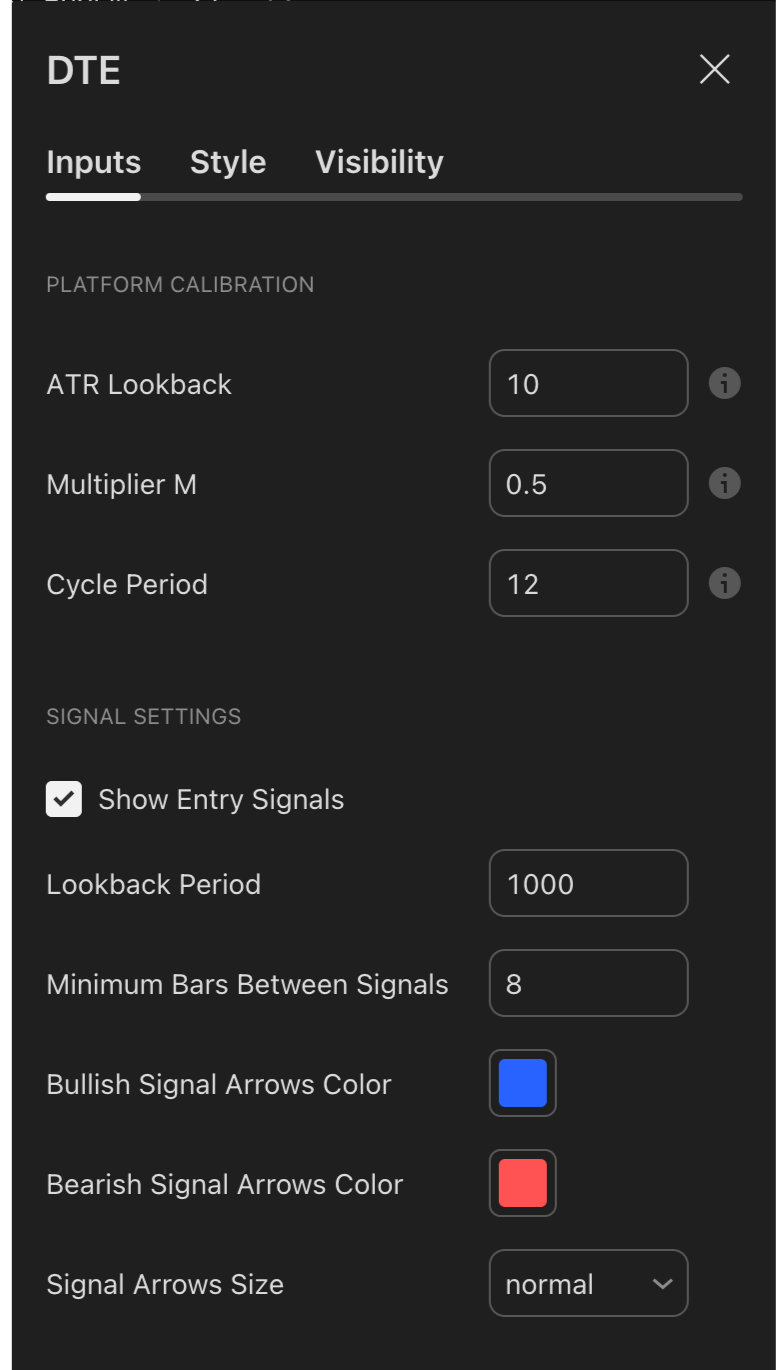
Platform Calibration Settings
ATR Lookback
Controls the period used to measure market volatility. Lower values react faster, while higher values create smoother structural bands.
Multiplier M
Controls the width of the structural bands. Lower values create tighter bands, while higher values create wider bands.
Cycle Period
Controls the sensitivity of the CycleWave oscillator. Lower values react faster, while higher values create smoother momentum signals.
Signal Settings
Show Entry Signals
Shows or hides Buy and Sell signals on the chart.
Lookback Period
Controls how many historical bars are used to display past signals.
Minimum Bars Between Signals
Sets the minimum number of bars between signals to reduce repeated entries.
Bullish Signal Arrows Color
Sets the color of Buy signal arrows.
Bearish Signal Arrows Color
Sets the color of Sell signal arrows.
Signal Arrows Size
Adjusts the size of the signal arrows.
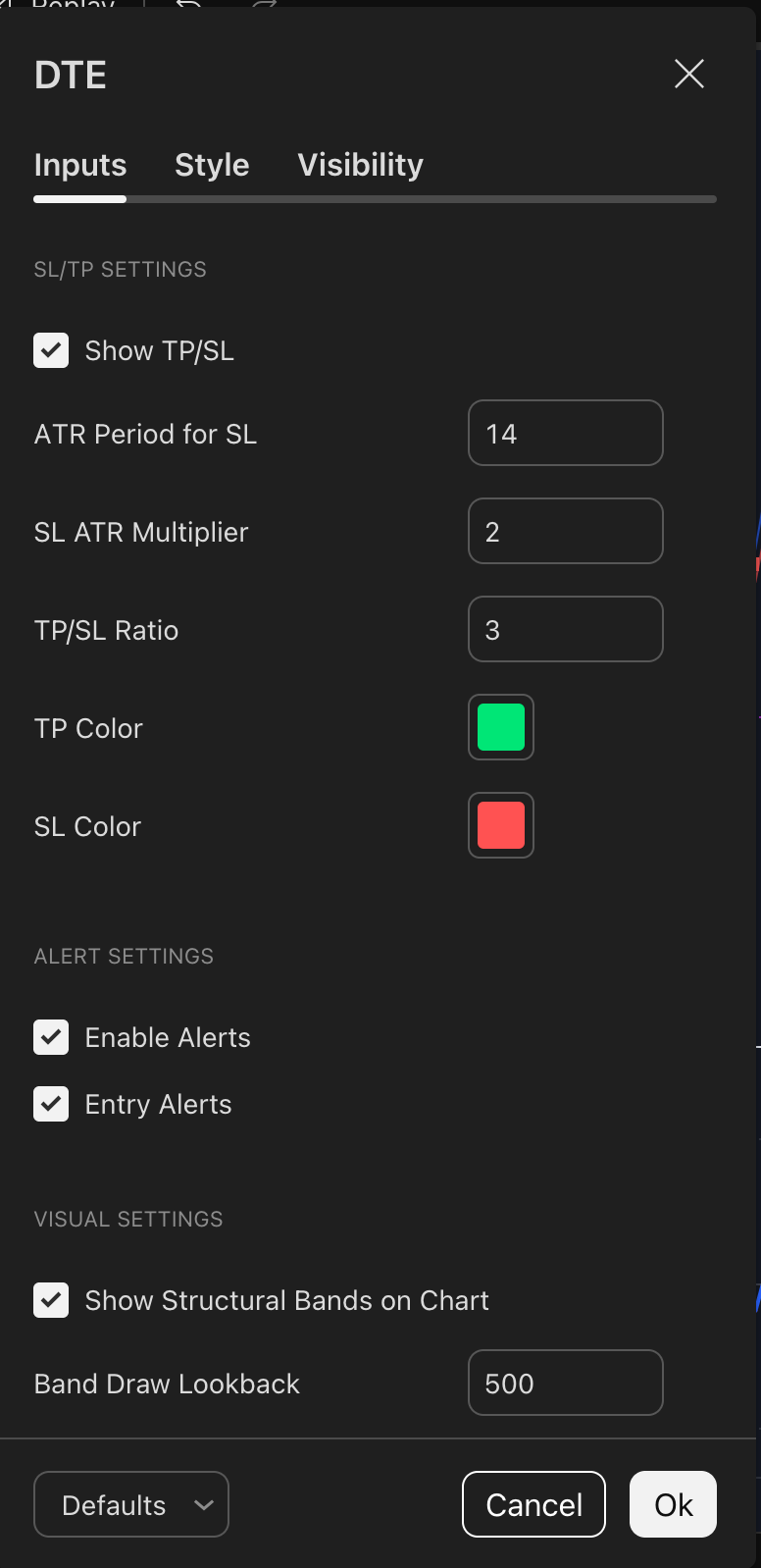
Alert Settings
Enable Alerts
Turns indicator alerts on or off.
Entry Alerts
Enables alerts when a new Buy or Sell signal appears.
Visual Settings
Show Structural Bands on Chart
Shows or hides the upper and lower structural bands.
Band Draw Lookback
Controls how many historical bars of the structural bands are displayed.
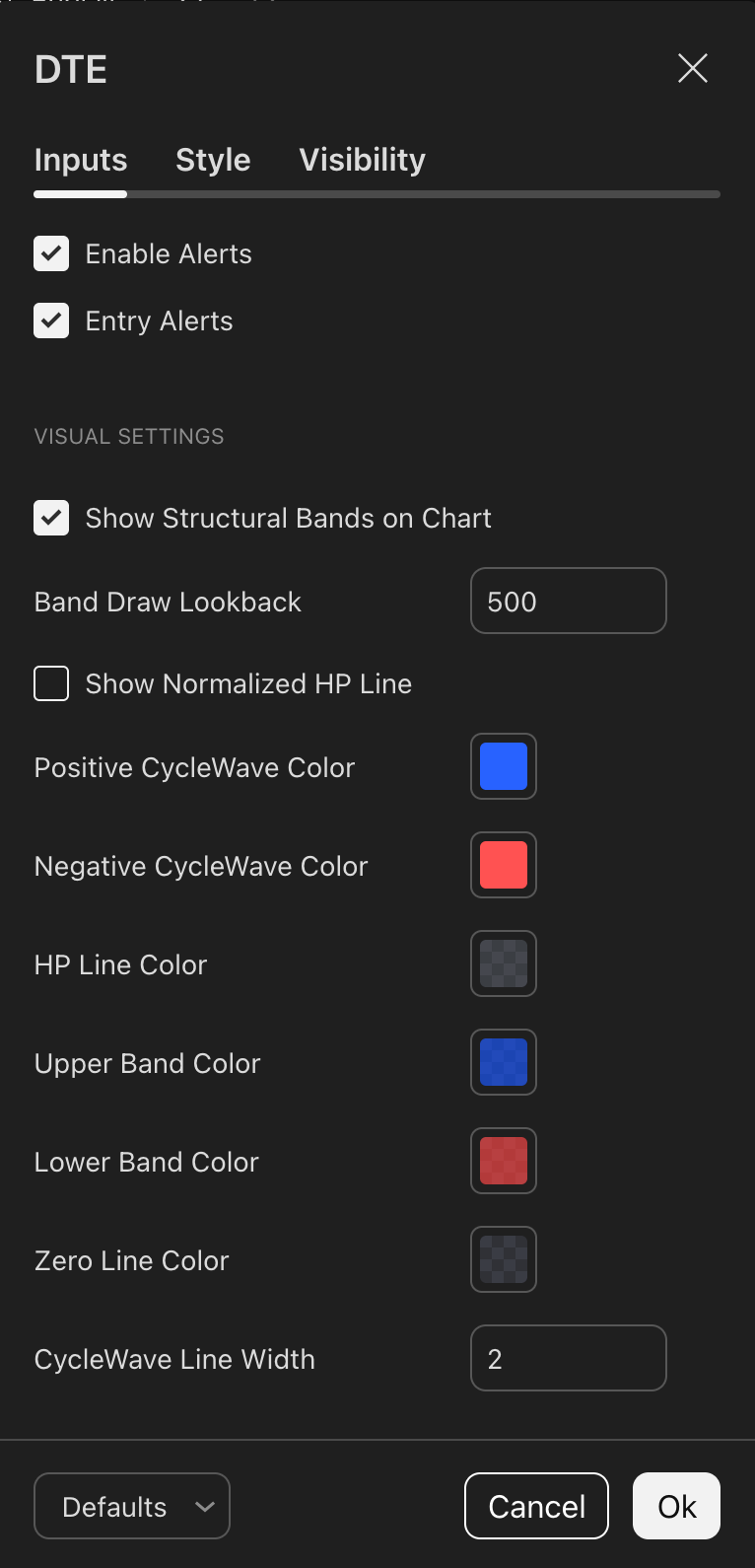
Show Normalized HP Line
Shows or hides the normalized High-Pass filter line.
Positive CycleWave Color
Sets the color of the positive CycleWave.
Negative CycleWave Color
Sets the color of the negative CycleWave.
HP Line Color
Sets the color of the High-Pass filter line.
Upper Band Color
Sets the color of the upper structural band.
Lower Band Color
Sets the color of the lower structural band.
Zero Line Color
Sets the color of the CycleWave zero line.
CycleWave Line Width
Adjusts the thickness of the CycleWave line.
How can I set up alerts?
To stay updated on potential trading opportunities, you can set up alerts within the DSP Trend Entry.
Step 1:
From the indicator settings, customize your alerts by defining your desired parameters. The selected configurations will be used for notifications in Step 2.
Step 2:
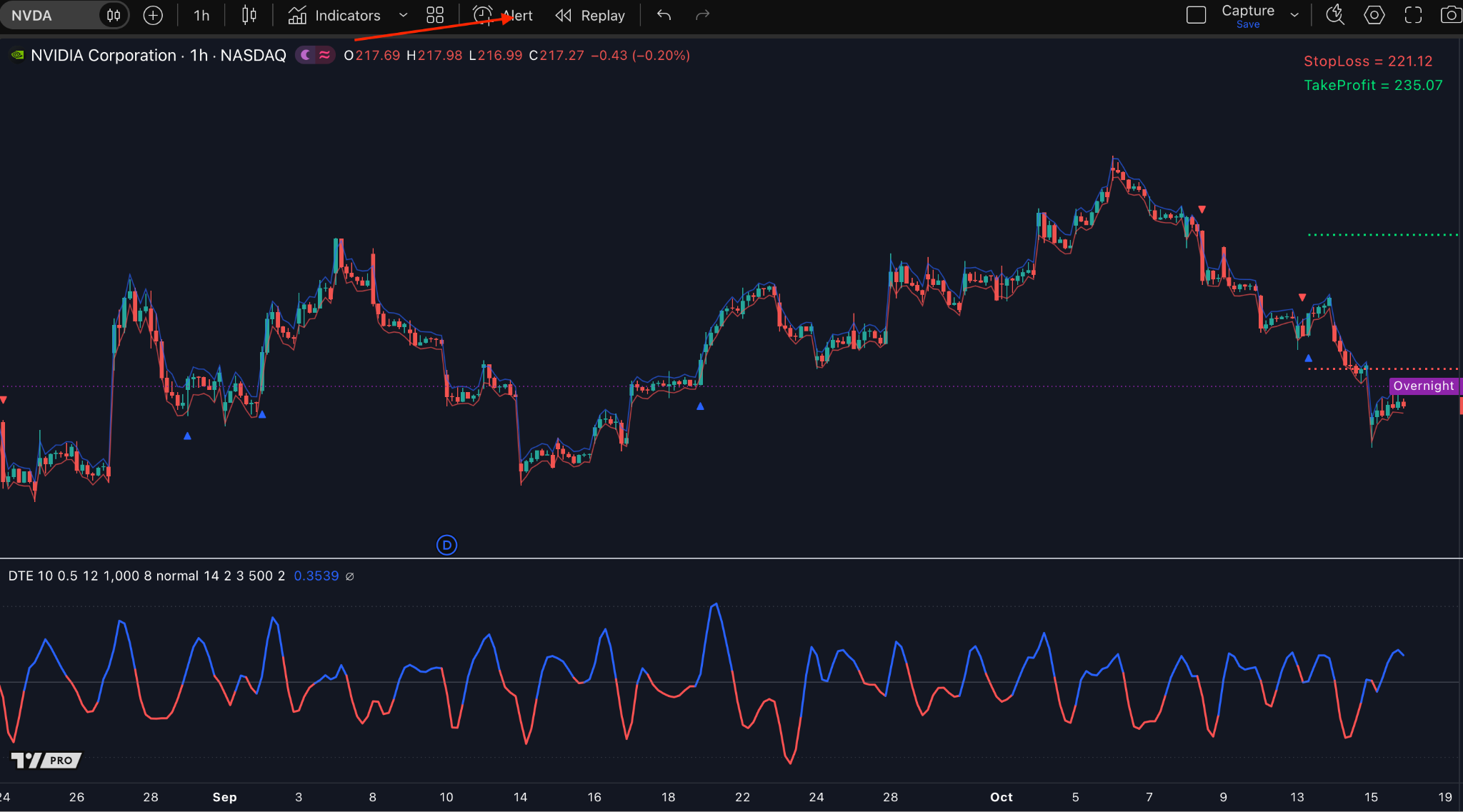
Click TradingView’s “Alert” icon to enable notifications such as pop-ups, sound alerts, emails, Webhook URL, or email-to-SMS.
Step 3:
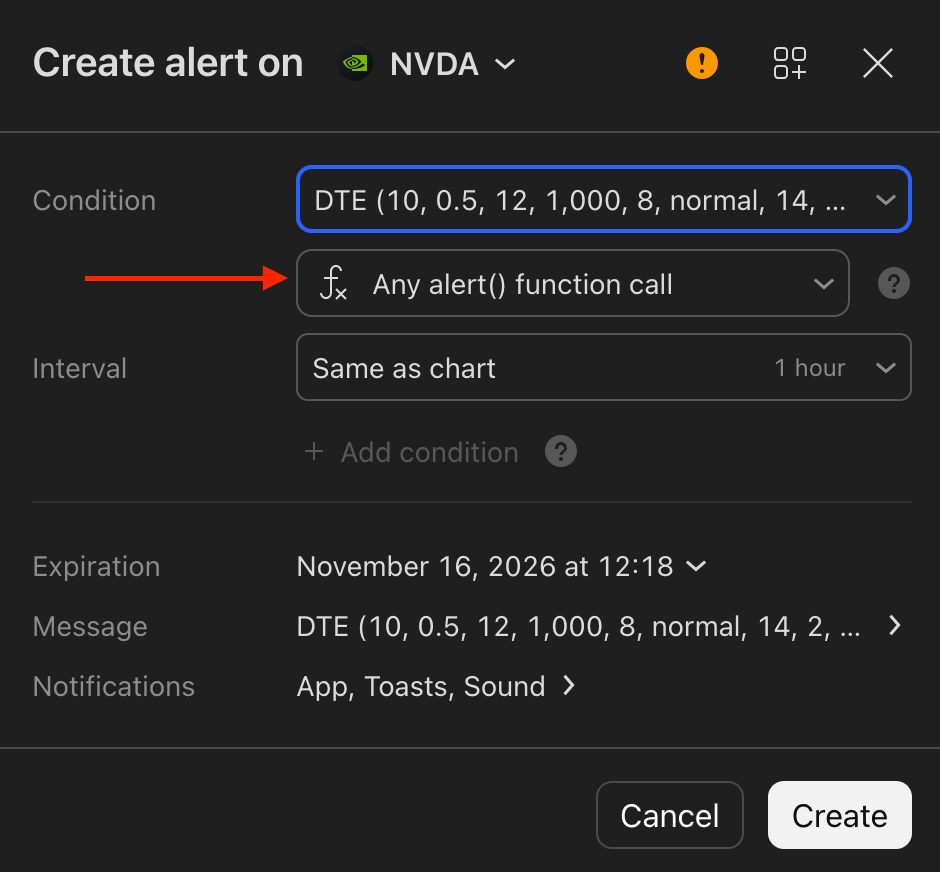
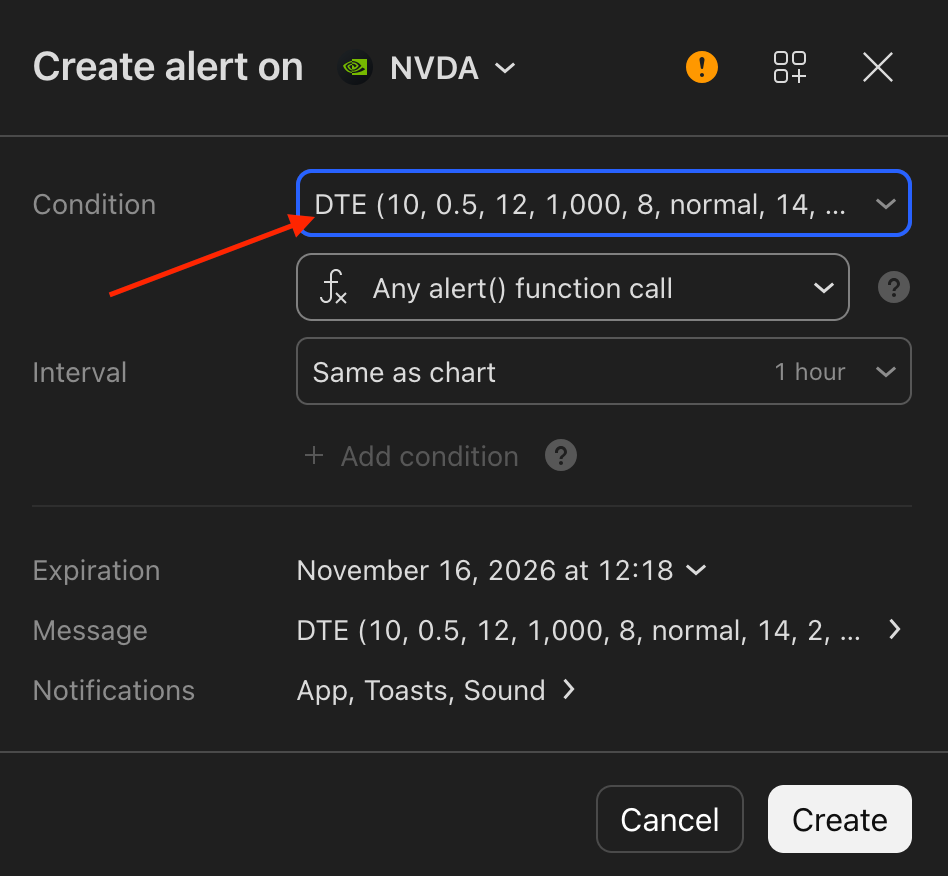
In the Condition dropdown list, select “DSP Trend Entry”
Step 4:
Select “Any alert() function call”, then click “Create.”